Settings, privacy and Pro
Settings is laid out the same way on iPhone and Android. It is where you shape ulTrain around your training - profile, notifications, backups, integrations, your data and the Pro subscription.
Finding your way around
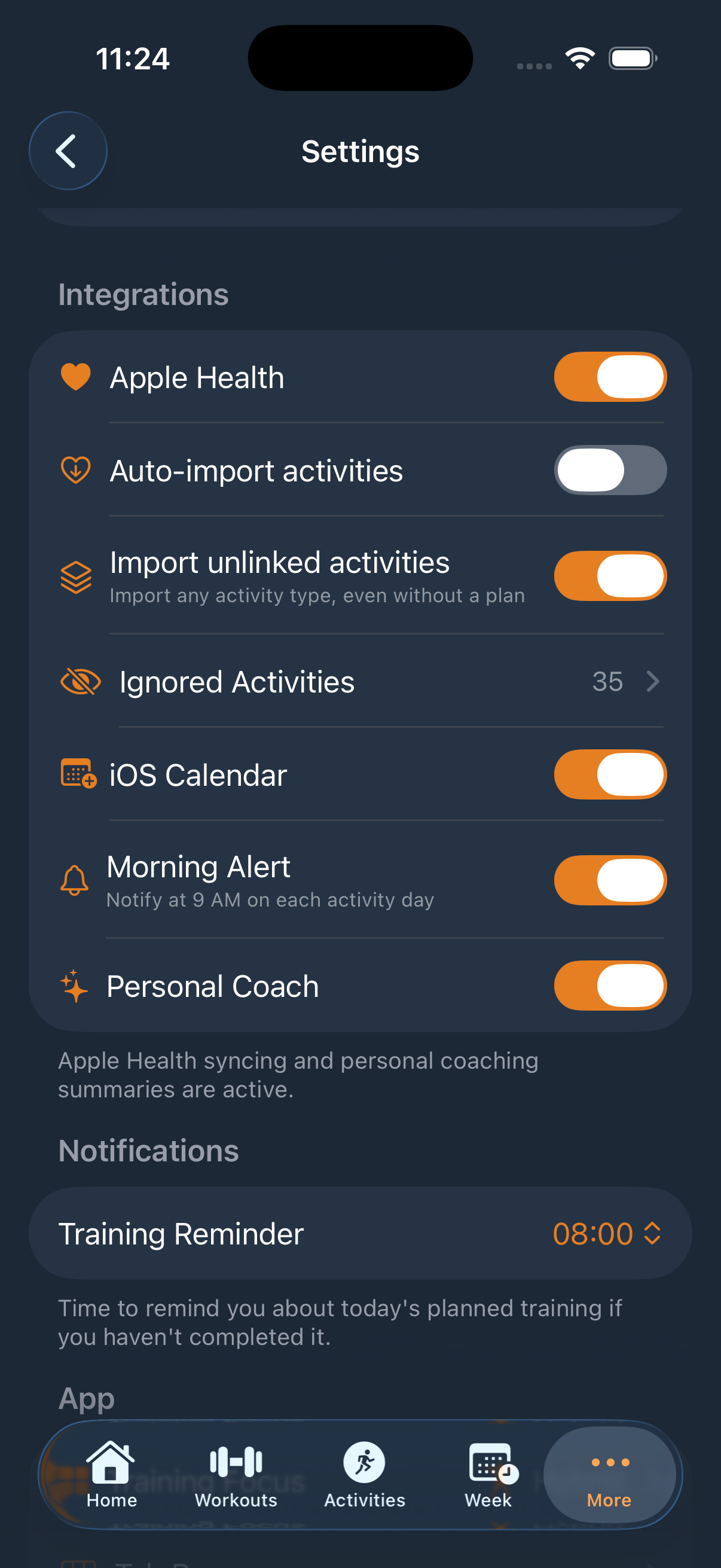
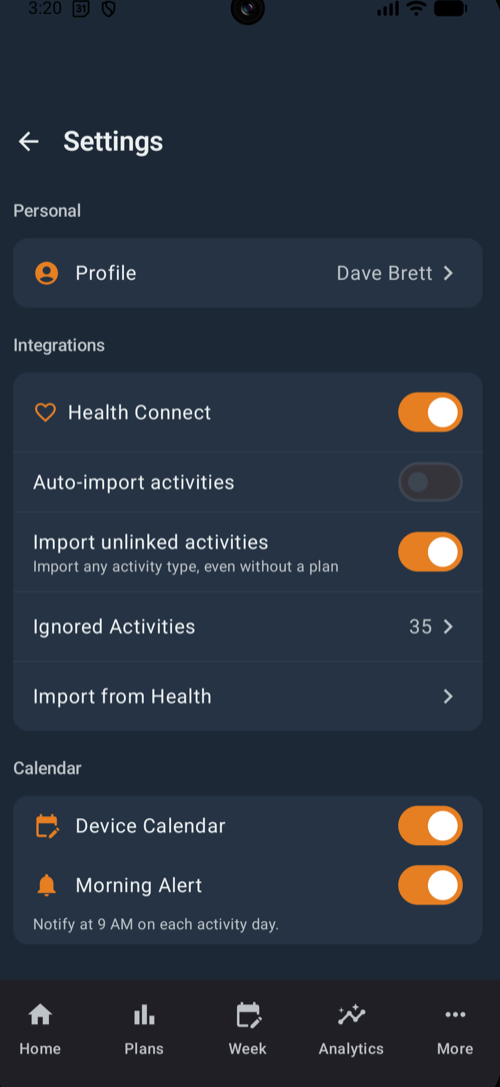
Below your profile card and the Pro banner, the groups appear in this order:
- Personal - Profile (photo via the system photo picker, name, level, training days, distance and weight units, date of birth), plus Weight and Fueling Physiology.
- Notifications - set your Training Reminder hour.
- Calendar (Pro) - sync planned sessions to iOS Calendar on iPhone or Device Calendar on Android, with an optional Morning Alert.
- App - the Training Focus mode switch, Tab Bar, Appearance (System, Light or Dark), Show archived plans and the plan-creation and weekly-planning prompts.
- Training & Data - Plan Defaults, Activity Types, Nutrition Categories and Rest Timers.
- Integrations - the health toggle with Auto-import activities, Import unlinked activities, Ignored Activities and Import from Health. See Activities & Health.
- Strength Data (Pro) - Import Workout Data and Export Workout Data as CSV, compatible with Hevy exports; the five-step import wizard matches exercises and detects duplicates.
- My Data - My Activities, My Crew, My Events, My Reviews, My Nutrition, My Kit, Kit Categories and My Kit Templates.
- Data & Privacy - Backup & Restore and the Privacy Policy.
- Account - your email, Change Password and Sign Out, with About and Delete Account below.
Notifications
ulTrain asks for notification permission in context - after you create a plan, start a workout or enable health import - rather than at first launch.
Backup and restore
Backup & Restore is free for everyone. Automatic Backup runs daily after 11 PM and keeps a set number of recent backups, or use Save Manual Backup before big changes. Tap any backup to restore it - restoring replaces all current data and cannot be undone.
Widgets (Pro)
Both platforms include a configurable home-screen widget. Choose what it displays: Weekly Progress, Race Countdown, Today's Plan, Training Load, Streak, My Crew, Strength Volume or Strength Streak.
Personal Coach (Pro, iPhone only)
Personal Coach generates AI summaries of your plans and weeks entirely on-device using Apple Intelligence - nothing leaves your iPhone. It needs a device that supports Apple Intelligence, and it is not available on Android.
Privacy
Your training data is private by default. The only content shared with other athletes is what you choose to submit to the events directory - race listings and reviews. There are no ads and no tracking, and crash reporting (Android only) never includes training data. Read the full privacy policy and terms of use.
ulTrain Pro
| Plan | Price |
|---|---|
| Monthly | £1.99 |
| Yearly | £14.99 |
Every subscription starts with a 7-day free trial and is billed by the App Store on iPhone or Google Play on Android - cancel any time in your store account. A subscription unlocks Pro on the platform where you bought it: an App Store purchase unlocks iPhone, a Google Play purchase unlocks Android. Use Restore Purchases if Pro does not appear after reinstalling.
Pro unlocks unlimited plans and routines (free includes 3 of each), full workout history with calendar view, custom exercises, the weekly planner and Today's Plan, streaks, Training Load, Endurance and Strength Insights, Event Predictor and Pace Strategy, all Nutrition and Kit features, calendar sync, CSV import and export, widgets and - on iPhone - Personal Coach.
Delete your account
Go to Settings → Delete Account and confirm with your password. Deletion is permanent. Full details, including an email option, are at ultrain.fit/delete-account.