Strength training
Strength lives in the My Workouts tab, split into two segments: Routines - your reusable workout templates - and History - every session you have completed. Build a routine once, run it as a live workout, then review what you actually lifted.
Create a routine
Choose “Build Your Own”, or pick from nine “Starter Routines” across Strength Training and Calisthenics - for example Barbell 5×5 Session A and B, Full Body Dumbbell Basics, Calisthenics Foundations and Everyday Strength 60+. Starters are added to My Routines and are fully editable.
The New Routine builder is organised into Warm Up, Working Sets and Cool Down. “Add Exercise” opens the picker, with search, All and Favorites tabs and exercise-type filters.
Edit each set’s reps, weight, seconds or metres to suit the exercise type (on Android you can also record RPE). Use “Create Superset” to pair exercises - supersets are lettered and alternate sets - and set “Rest Between Exercises”.
Attach optional “Pre-Routine Nutrition” and “Post-Routine Nutrition” so live workouts prompt you to tick off what you used. See Nutrition & kit.
Free accounts can keep 3 routines; Pro removes the limit.
The exercise library
“My Exercises” includes 171 built-in exercises across Legs, Back, Core, Chest, Shoulders, Arms, Mobility and Full Body, typed as Weighted, Bodyweight, Timed, Mobility or Distance, and each exercise detail shows a front and back muscle map. Favouriting is free; built-ins can be disabled but not edited. Creating or duplicating custom exercises (Pro) lets you set a name, type, equipment, icon and primary and secondary muscles.
Run a live workout
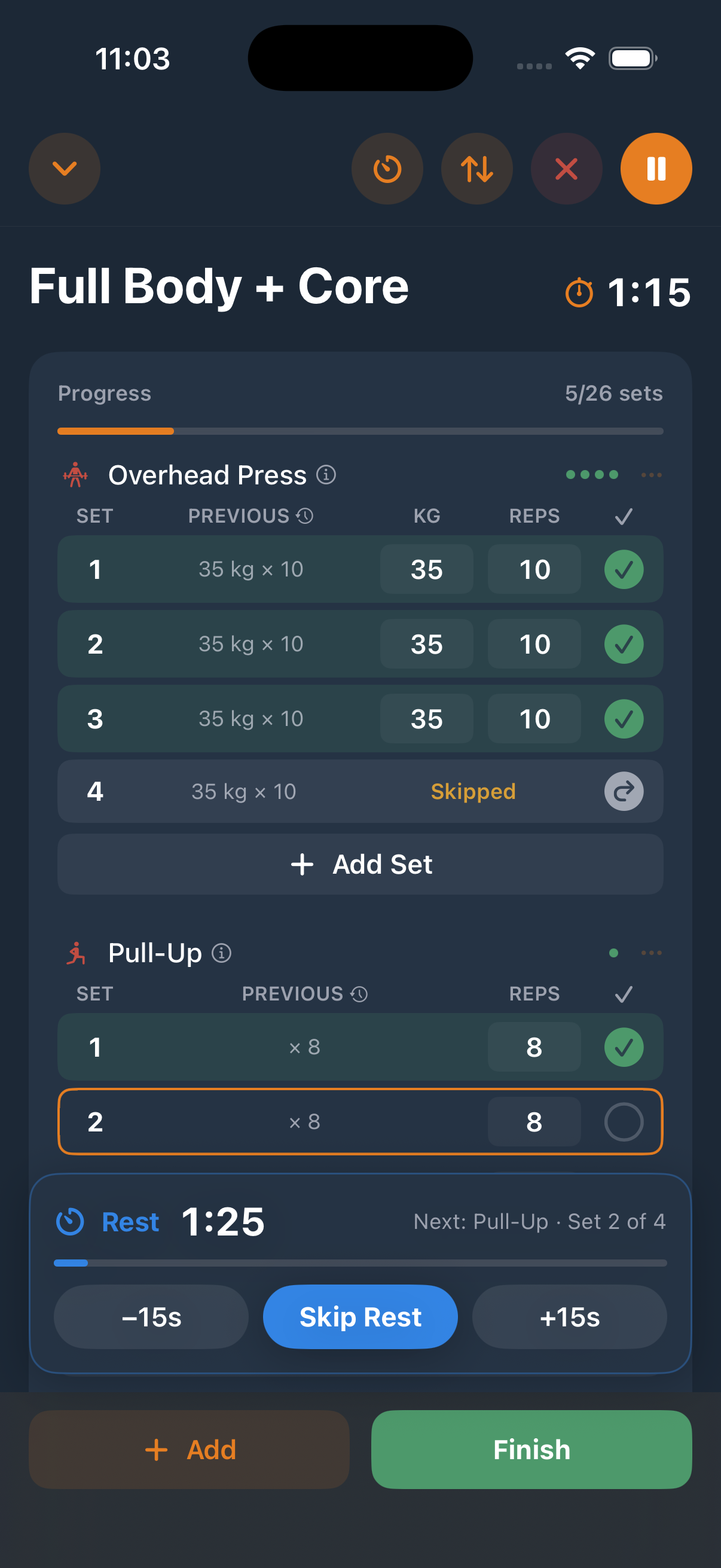
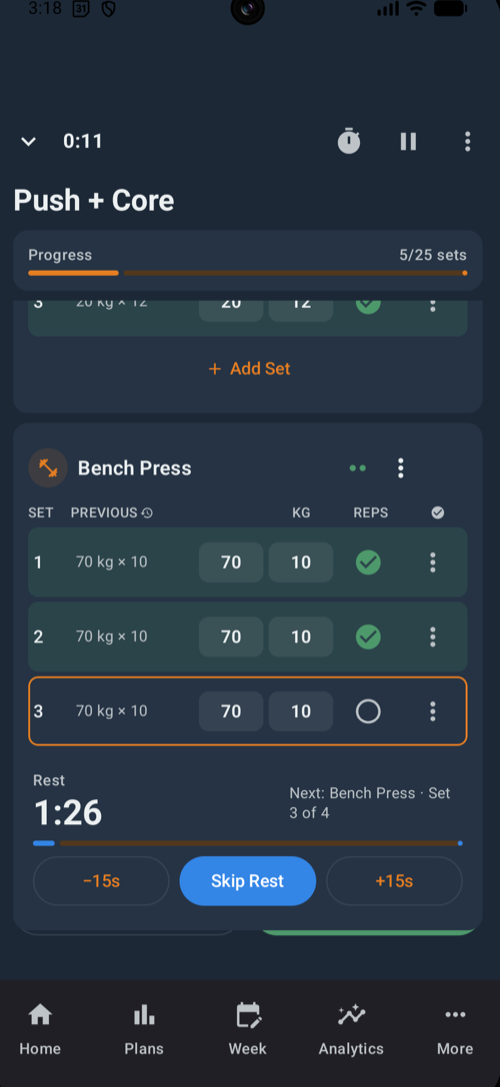
Start a routine and, if it includes fuelling, tick off the “Pre-Workout Nutrition” check first (Pro). Each exercise shows a set table - SET, PREVIOUS, KG (or your unit) and REPS (or SEC/M) - with a tick to complete each set. Warm-up sets are marked “W” and timed sets count down automatically.
Completing a set brings up the rest overlay: a countdown with “−15s”, “Skip Rest” and “+15s” controls, plus “Next: …” showing the exercise ahead. Defaults are 90 seconds between sets and 120 seconds between exercises - adjust them in Settings → “Rest Timers”.
Sessions rarely go exactly to plan, so the per-exercise menu offers Add Note, “Tag: Carrying Injury”, Reorder Exercises, Skip Exercise and Remove from Workout. You can also add exercises mid-session, skip or remove individual sets, pause and resume, or minimise to a floating “Resume” bar and keep using the rest of the app.
Finish and save
The “Workout Complete!” screen totals Duration, Sets and Volume, asks how you felt - Drained, Off, OK, Good or Great - and takes notes plus your post-workout nutrition tick-off (Pro). If you changed the session on the fly, “Save Changes?” lets you choose “Save Workout Only”, update the routine, or “Save as New Routine”.
History
Free accounts see the 3 most recent sessions; Pro unlocks “Full Workout History” and a month “Calendar View”. Workout detail shows stats, a “Muscles Worked” body map and per-set “Est. 1RM”, with full “Edit Workout” support. Deleted workouts go to a Recycle Bin where you can restore them or “Delete Forever”. On iPhone, overlapping Apple Watch or Apple Health workouts merge heart rate and calories into your logged session.